
 EN
EN  ES
ES 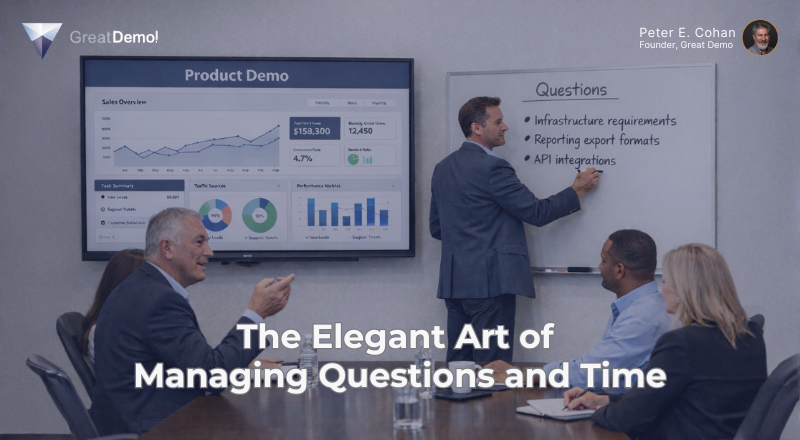
A Never Stop Learning! Article
“Demos should be perceived as structured conversations…!”
You are in the midst of delivering a demo and things appear to be going well when…
Somebody asks a question and you answer it, then start to return to your planned demo but they ask a follow-up question. You answer that, providing more detail. Again, you think they are satisfied, but they ask a further follow-up question, which you proceed to answer in depth, showing detailed examples of your software and covering extensive whiteboard space with drawings and text.
After several minutes you realize you are waaaay off track and “in the weeds.” Except for the low-ranking person who asked the questions, everyone else looks bored or confused.
Even worse, you notice that the high-ranking members of the audience somehow left the room while you were in your explanation. To add insult to injury, you are now short on time as well!
Have you ever had this happen to yourself or someone else? The answer in many cases is, “far too frequently!”
How do we simultaneously encourage questions in demos, yet make sure they don’t take us off track? And why do we want to encourage questions in the first place?
More Questions, More Successful Demos!
“The power to question is the basis of all human progress.”
– Indira Gandhi
Gong’s study of tens of thousands of demos (now millions of data points!) found several key indicators of demo success:
- Successful demos enjoyed 28% more questions.
- Speaker Switches averaged 76 seconds!
- And the “Peel the Onion technique means to give your prospect just enough information (and present it in a way) that actively provokes questions.”
That’s right: More questions are better, much better!
In my personal experience, 28% more questions is low: That’s just the starting point!
But how do you stimulate prospect queries?
First, by not pre-answering questions (also known as “premature elaboration!”). How many times have we heard a rep say, “Here’s a question we always hear…” and then immediately provide the answer? If you expect to hear the question, then let your prospect ask it! Periodic summaries and pauses provide opportunities for your prospect to engage.
A second method that encourages a productive conversation is by not over-answering! Provide just enough information to address the question. Leave room for follow-up and gently test for it: “Is that answer sufficient or would you like to go deeper?”
“Peeling the Onion” (known as “Peeling Back the Layers” in Great Demo! methodology) is designed to facilitate questions. Your objective is to reveal the answers in as much depth as your individual prospect players have interest.
In Great Demo! training, participants practice this critical skill in coached role-play exercises. We help them learn how to break up their traditional monolithic talk tracks into bite-size components (peeling back layers of the onion). Workshop participants learn exactly how deep to go to satisfy the various members of the prospect team and to “stop selling when the prospect is ready to buy.”
After all, what happens if you peel an onion too far? You cry!
Consider: Most executives only want the 30,000-foot (9114-meter) view; middle managers typically want to go a bit deeper; staffers want the workflow details; and system administrators desire a different set of specifics. If you answer questions at the wrong level or go too deep, you may be driving yourself into the weeds.
And, as we have all experienced, starting a demo by saying, “Please stop me if you have any questions – we want this to be interactive…” will not drive questions by itself! Nor does asking, “Any questions so far…?”
What does drive interactivity?
- Pausing is one of the most effective ways to encourage a question or comment from your prospect.
- Even stronger, offer a brief interim summary … followed by a pause.
- Ask for feedback: “Thoughts on what you just saw?” “How does this compare to your current process?” “How does that resonate?” – An extremely effective method is to use Customer Fill In, where you invite your prospect to choose from a list of options.
- The Menu Approach, by its nature, drives interactivity right from the beginning of your demo.
- And once you’ve “trained” your prospect to respond, shorter prompts may be all you need to continue the conversation, such as: “Comments?” “Feedback?” “Thoughts?” “Questions?”
But wait there’s more: When your prospect asks a question, they have had to think about it. This small but important act drives retention of the ideas. So, the more questions, the better!
Next, what about Speaker Switches and 76 seconds?
“One good conversation can shift the direction of the change forever.”
– Linda Lam
Speaker Switches (the change of the speaker from the vendor to the prospect and vice versa) is a terrific metric to analyze your demos in terms of monologue vs conversation. Monologue demos suffer periods where the vendor presenter talks for six, eight, ten minutes or longer! Doing so basically removes any chance for a conversation to take place.
Think of 76 seconds as the typical amount of time it takes to heat something like a cup of coffee in a microwave. What happens if you leave it on for six, eight, or ten minutes?
“Microwaving coffee for 10 minutes will ruin it, causing it to boil over, create a terrible burning smell, and potentially crack the mug. The intense heat evaporates water, destroys delicate flavor oils, and creates a severely bitter, acidic, or rubbery taste. The coffee will likely turn into a thick, concentrated sludge.”
Similarly, monologuing for ten minutes will likely leave your audience with an equally bitter taste!
Note that Speaker Switches aren’t limited to prospect questions. You are listening for any feedback or comments in addition to questions. “Oh, I get it,” “That’s cool,” “Uh-huh,” “Looks good,” and other brief prospect responses are just as valuable. These indicate that your prospect is engaged and paying attention.
Study your own Speaker Switch numbers and see how you do!
Now that you are encouraging questions, let’s look at how to control the process.
Chaos Controlled
The Swiss are very organized (understatement). In Basel, they celebrate Carnival (called “Fasnacht”) in a typically Swiss way: “Now we will have chaos, and this is the way we will organize it…” The chaos is scheduled to start and end at precise times. You can march anywhere you want, as long as it is within the carefully defined limits of the old town. And you can wear any costume you want, as long as it is one of the six specifically prescribed characters.
We can learn a thing or two from the Swiss with regards to demos. Yes, we want to encourage questions and make things as interactive as possible, but we need to manage the process as well.
There are three types of questions we might expect to receive in a demo:
- Great Questions – which we should answer right away.
- Good Questions – which should be “parked” for later.
- Stupid Questions – which should also be “parked” for later, but with a nuance.
Let’s take them in order…
Great Questions
Great Questions make our hearts sing with joy (they do!). They are the questions that lead directly to the next point you want to make; they underscore the value; they are questions you want your prospect to ask.
In Great Demo! Workshops, we teach the idea of having answers to typical questions ready to go but placed (in a virtual sense) behind your back. You want your prospect to ask these questions and when they do so at the right time, they are truly terrific: they are Great Questions.
Prospect: “You mean you just completed the workflow in three clicks, doing what’s been taking us a week?”
You: “That’s right!”
Prospect: “Is there a way to get that report sent to me every Monday morning?”
You: “Yes; would you like to see how?”
Prospect: “Yes, please…”
You’ll know your demo is going perfectly when your prospect asks the question you want them to ask at that moment. And let them ask the question; don’t suffer premature elaboration!
Many Great Questions can be answered crisply, often requiring just a sentence or two. That’s it – or could you be even more succinct?
Just Say “Yes”
“…in addition to my many other recovery issues, I’m also a founding member of Overtalkers Anonymous”
– Kay Wills Wyma
Your prospect asks, “Can it do X?”
Instead of simply answering “Yes,” many vendors dive into their software to show how it is done, along with sharing several options and alternatives. Doing so changes a Great Question into a Good Question and puts you at risk of making your software appear complicated and confusing, as well as risking “Buying It Back!”
Listen carefully to how people ask questions. When they ask, “Can it…?” you may only need to respond “Yes” or “No.” You can test to see if your prospect wants further explanation by asking, “Is that sufficient or would you like to see it?” Frequently, they respond, “Nope – I’m good.”
When your audience asks, “How do I…?” it is more likely that they need to see how it is done in your software. “How do I…?” is an indicator of a Good Question.
Good Questions
Many of the questions we receive in a well-prepared demo are Good Questions. They are earnest, honest, and indicate interest from your audience. And they are the very questions that can take your demo into the weeds!
How do we handle Good Questions? Park them.
For example, early in the demo, someone asks, “What infrastructure is required to run your software?”
This question came from your prospect’s system administrator and will likely require some detailed discussion to close out. Your audience, however, includes high-ranking executives, middle managers, and end users in addition to the admin. How do you embrace the question but avoid boring or even alienating the balance of the audience?
You respond, “Thank you for that question. That deserves more development than I’d like to invest right now… Let me capture it here, on the whiteboard.” You write it down and then ask, “Have I captured it correctly?”
The admin indicates their agreement.
You say, “Thanks, let’s plan to address this later in our session or in the Q&A segment. Is that acceptable to you?”
The admin responds “Yes,” releasing you to continue your demo as planned. Very elegant, very professional.
This process works extremely well. Why? Because your prospect sees you capture his/her question, removing the concern that you are dismissing their question as unimportant, which often happens if you just acknowledge it verbally. Writing it down publicly demonstrates your respect for the question and establishes the expectation that it will get addressed.
You’ve essentially made an agreement with your audience that you will answer the question – but note that the timing is now up to you! You could address it later in the demo, during Q&A, or in a separate session.
So, our strategy for Good Questions is to professionally capture and park them for later. And whether you are face-to-face or online you can use whiteboards, Word or Google Docs, or other publicly visible “surface” as your parking lot.
What’s next?
Stupid Questions
“It is better to keep your mouth closed and let people think you are a fool than to open it and remove all doubt.”
– Mark Twain
Stupid Questions come from two sources: truly stupid people and hostiles. Hostiles are the people who don’t like you, they don’t like your company, they don’t like your product; they feel it is their obligated duty to torture the vendor.
Here’s an example of a Stupid Question I received in a demo meeting: They asked, “How come your software sucks so bad and costs so much?” Clearly, this was from a hostile!
How do we handle hostiles? Two approaches:
- Sustained, small-arms, automatic weapons fire. OK, kidding. (And that approach is likely only legal in certain geographies.)
- Treat their Stupid Questions like Good Questions, but with an important twist.
You respond, “This requires more development than I’d like to invest right now. I’m going to capture it here on the whiteboard, along with all of the other questions. We’ll plan to address it later on or during the Q&A session.”
Note that you do not give the hostile the option to respond. You want to close him/her down.
Interestingly, we often see other members of the audience help you manage the hostile. They may, in fact, ask the hostile to stop tormenting you, when they see you are using a reasonable and rational process to manage the session.
So, your strategy is to treat Stupid Questions similarly to Good Questions: queue them up on the Parking Lot for later.
Verbal Aikido
“If you’re going through hell, keep going.”
– Winston Churchill
One of the key ideas of Aikido is to deflect your opponent’s energy and momentum or use it against them. The same idea can apply to demos!
Let’s revisit, “How come your software sucks so bad and costs so much?”
I responded, “This requires more development than I’d like to invest right now. I’m going to capture it here on the whiteboard, along with all the other questions and we’ll plan to address it later on during our Q&A session.”
This was acceptable to everyone, but I hesitated before adding it to the list.
The classic method of “parking” the topic would be to write it as it was expressed. However, I didn’t want the audience staring at “How come your software sucks so bad and costs so much?” for the balance of the meeting. And a slightly distilled version like, “software sucks, costs so much” wouldn’t improve things.
I recalled a lesson I’d learned in a training session that discussed reducing prospects’ questions to their
“Neutral Pillars,” which is a terrific method of capturing an idea with a positive spin.
I applied the Neutral Pillars approach and identified two relevant Neutral Pillars, translating “software sucks so bad” to “Quality” and “costs so much” to “Value.”
These were the words I “parked” and were what the audience saw for the balance of the meeting. Much better: a bit of verbal aikido!
Next, should you question the questions?
Digging Deeper
In many cases, yes!
“Ogres are like onions. Onions have layers. Ogres have layers. You get it? We both have layers.”
– Shrek
Newly minted vendor representatives are happy when they are able to answer prospect questions and are delighted when they can do so with confidence.
More experienced reps will explore the prospect’s question and dig deeper, when appropriate. They’ll ask:
- “What prompted your question?”
- “How important is this use case for you?”
- “How often do you see this happening?”
The prospect’s responses often yield important insights!
Some Subtleties
First, all questions from high-ranking people are Great Questions (even if they are Stupid).
You can mistakenly turn a Great Question into a Good Question by going too deep with your answer. You are allowed (encouraged, even) to park yourself in these cases (I’ve had to park myself many a time)!
Teaser answers: You can mitigate the potentially awkward feeling of parking a Good Question by offering a brief, “teaser” answer. Provide just a sentence or two before you complete parking the question.
For example, when that system admin asked, “What infrastructure is required to run your software?” you could answer, “Well, our system connects to your ERP, CRM, and similar software via APIs, so we’ll need to discuss what you have today. Let me capture this on our Parking Lot so we can dig into this a bit later…”
Body language: there are hundreds of books on how to answer questions, many of which focus a good portion of their guidance on body language. Here are a few suggestions harvested from these tomes:
- When listening to a question, initially move towards the asker (when face-to-face) to show you are actively listening. Don’t move backwards away from him/her as that appears to the audience as if you are uncomfortable with the question and are running away. When online, you can lean forward slightly to achieve the same effect.
- When listening to a question, assume a neutral body position (no folded arms, don’t jingle keys or change in your pocket, don’t fidget with a “clicker,” or move your mouse around). Focus on your prospect and their question.
- (Here’s an example of what not to do: Our head of sales was asked about price increases at a Users’ Group meeting. He had his hands in his pockets and jingled change noisily yet unconsciously as he responded. That didn’t make a good impression on the audience, and it was remembered and talked about long after!)
- When listening to a question, don’t look at your phone, watch, or anywhere other than at the audience member asking the question (you can lose major elections this way!).
Next, are you on your own?
More Chaos Control
Who else can help you manage the chaos? Your other team members, when present, have a number of specific roles to play.
If you are the presales player delivering the demo and your salesperson is present, they should be prepared to “rescue” you by stepping in to help parse and park questions. Salespeople should:
- Help to identify Great vs Good vs Stupid questions.
- Manage the Parking Lot, capturing questions for you.
- Help clarify questions (often by asking questions in return).
- Make sure questions have been properly closed out.
Another strategy is for your colleague to repeat and/or rephrase questions. Why? To make sure you heard the question correctly and to give you a few extra seconds to prepare an answer!
“I Don’t Know”
For many vendor representatives, saying “I don’t know” feels uncomfortable. After all, you are the “expert!” However, nobody knows everything, so relax.
When you don’t know the answer, or are not sure, say so. It’s OK! Add the question to your Parking Lot. Pursue learning the answer after the meeting and make sure to communicate it to your prospect.
Managing Questions and Time
There are three types of questions we can manage in a demo:
- Great Questions – which we answer right away.
- Good Questions – which we park for later.
- Stupid Questions – which we also park for later, but more firmly!
Managing questions in your demos with this process will help make your demonstrations crisp, compelling and surprisingly effective.
(Note: for the full story on managing questions, see Chapter 8 “Managing Time and Questions” in Great Demo!)
Copyright © 2016-2026 The Second Derivative – All Rights Reserved.
To learn the methods introduced above, consider enrolling in a Great Demo! Doing Discovery or Demonstration Skills Workshop. For more demo and discovery tips, best practices, tools and techniques, explore our books, blog and articles on the Resources pages of our website at https://GreatDemo.com and join the Great Demo! & Doing Discovery LinkedIn Group to learn from others and share your experiences.